


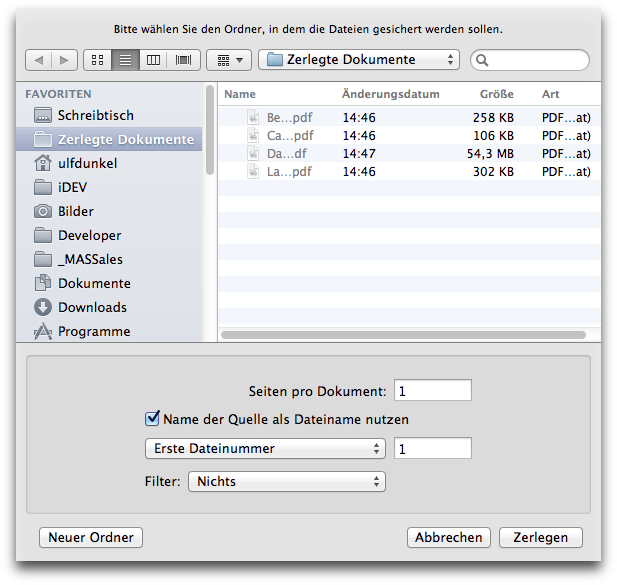
You can explode PDF documents into smaller documents consisting of individual pages from the original, or into multiple documents each containing smaller groups of pages from the original. The following options are available when exploding:
instead of using the original file name as the source for the exploded PDF files about to be created, PDF Nomad 2 will use the name under the Source column in the page list.
if you want PDF Nomad 2 to automatically append a number to the name of each created PDF file, enter the first file number (it will be used as an offset when creating the numbering scheme).
Alternatively, you can let PDF Nomad 2 append the page labels as the file 'number' of each created PDF file.
You can apply any available filter to each file created. (Or create you own filter using the ColorSync utility.)
