


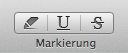
With the text selected, click one of the [markup buttons] in the toolbar. The left-most button highlights the text, the middle button underlines it and the right-most button strikes through the text. (Alternatively you can use keyboard shortcuts to markup the selected text. These are resp: [ctrl][cmd][H], [ctrl][cmd][U], and [ctrl][cmd][S].)
