


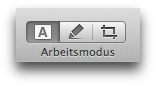
Text mode is the default mode. You use it to view PDF documents, fill in forms, edit annotation comments, highlight and or copy text, etc.
Clicking on links in text mode takes you to the target of the
link. If you want to select text that constitutes a link, this can be
difficult since clicking the text will activate the link. In this case
you can choose Tools → Work Mode → Deactivate Links
from
the menu bar. With links deactivated you can easily select linked text
(e.g. to copy or highlight).
See the section What You Need to Know About Text Editing and
Text Extraction
for extra information on PDF Nomad 2's editing
abilities.
