


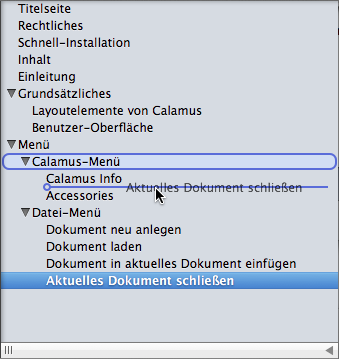
Order outline items by grabbing them and dragging them to their new location. Drag in between items to place the dragged item in between; drag on top of items to place the dragging item as a child of the target item.
Alternatively you can adjust the outline hierarchy using the [Tab] key: Select the outline(s) you wish to indent and press the [Tab] key. The outline will become the last child of the current sibling above it. If you hold down the [Alt] key while pressing [Tab] the outline will become the first child of the current sibling above it. If an outline is the first child in a group of siblings it will not be moved. Press [Shift][Tab] to move outlines up in the hierarchy.
