


Search for similar images
This search is useful when you want to find duplicate images
without specifying which image format they are
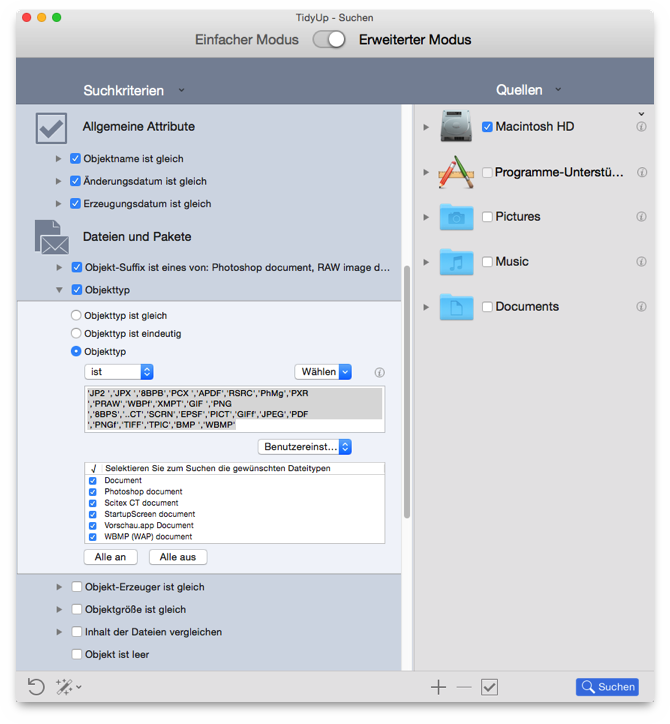
Figure 88: Search for similar images.
- Search Location
-
Any folder or disk.
- Criteria
-
Common Attributes:
Item’s name is same.
Date modified is same.
Date created is same.
Files and Packages:
Item’s type is:
- Choose from the
Custom Set
popup menu the Images
option.
- To limit the results, you can uncheck any image file kind you
wish to remove, or you can enter the images types manually (refer to
the Appendix 2 for common image files, types and extensions).
Item’s extension is:
- Choose from the
Custom Set
popup menu the Images
option.
- To limit the results, you can uncheck any image file kind you
wish to remove, or you can enter the images extensions manually (refer
to the Appendix 2 for common image files, types and extensions).
If you remove images that are in an iPhoto database using this
criteria set, you will create missing
images in iPhoto. You can
use the report missing images
option to remove them.
