


This set of criteria is formed of three sub-sets, which are joined
by attributes type. The contained attributes refer to the items'
characteristics and, except for the same
and unique
options, they work the same as the criteria of the main window.
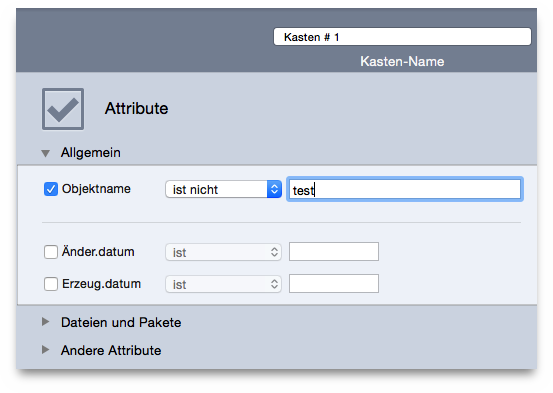
locates by name, excluding or containing a specific sequence of
characters. By choosing the item name ends with any number
option you can identify (or exclude) the items with numbers in their
name. This is useful to identify those files (i.e. FileName 1.mp3)
modified by iTunes or iPhoto.
allow searching for files created/modified in a specific date or within a date range.
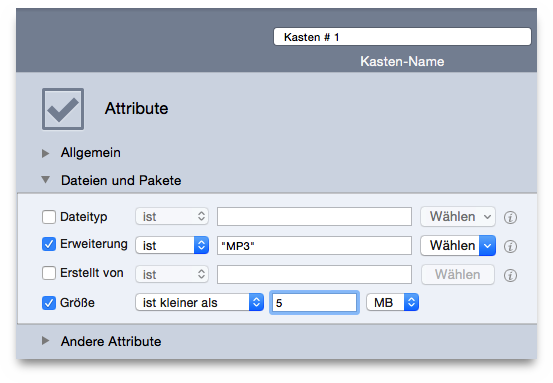
allow you to locate items by OS-Type code or extension suffix. Note that, to search for the needed files kind, saved sets (those of the main window) are available in both criteria.
is useful when you want to find the items created from a specific application.
allows you to locate items of a specific size or within a size range.
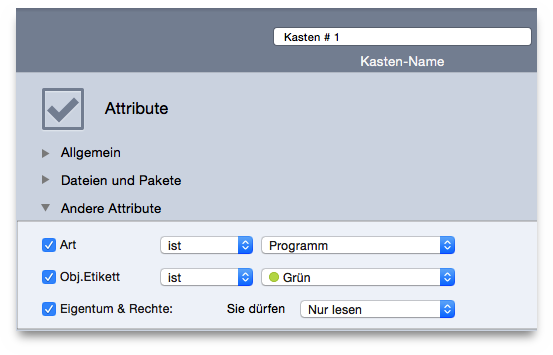
allows the inclusion or exclusion of a specific item kind (alias, applications, folder, fonts, documents and audio).
allows you to include or exclude items marked
with the
chosen label. The labels are those assigned in the Finder.
returns only the items that have the chosen permissions and ownership. If you are unsure of the reported items, it is safer to only manage the ones you have the ownership of.
