HomeManual BoxManual BoxStep Three: Process the chosen items
  Tidy Up 4 > Step Two: Choose the items to process > Manual Box Index

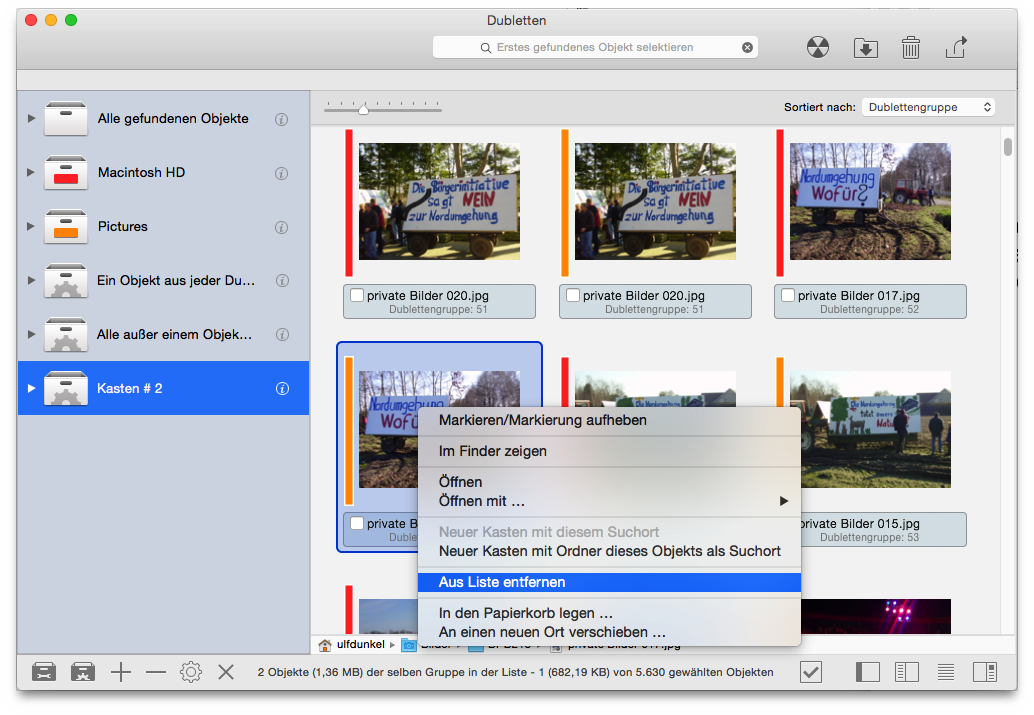
How to remove an item from the found list

To remove an item from the found list, and leave the file untouched in its place, select the item to remove and from the Result menu or by invoking the contextual menu (control-click), choose Remove from List.

How to remove an item from the found list. - Please click to enlarge

Figure 61: How to remove an item from the found list.


HomeManual BoxManual BoxStep Three: Process the chosen items