HomeA Single Location OnlyRemove all but one iTunes song of each duplicate group regardless of the location in which they resideRemove all but one iTunes songs whose name ends with a number
  Tidy Up 4 > Common Smart Box Scenarios > A Single Location Only Index

Remove all but one iTunes songs (or iPhoto, Aperture and Mail) of each duplicate group but only if the songs are in a specific playlist(s)

This smart box criteria set is useful when you want remove only the items that are/are not in a specific playlist(s).

Note that as example here we have used iTunes, but you can apply this method to any of the other supported applications: iPhoto, Aperture and Mail.

Criteria

Miscellaneous:

The playlists are listed if you have done a search in the iTunes library.

The box will contain all but one song of each duplicate group that are contained in the chosen playlists.
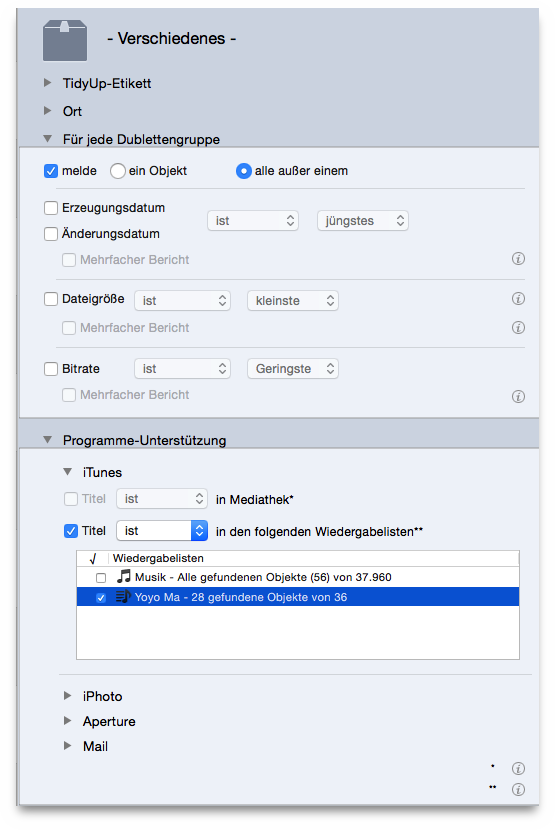
Figure 101: Remove all but one iTunes songs (or iPhoto, Aperture and Mail) of each duplicate group but only if the songs are in a specific playlist(s).


HomeA Single Location OnlyRemove all but one iTunes song of each duplicate group regardless of the location in which they resideRemove all but one iTunes songs whose name ends with a number