HomeA Single Location OnlyRemove all but one iTunes songs (or iPhoto, Aperture and Mail) of each duplicate group but only if the songs are in a specific playlist(s)Remove all lowest bit rate song files
  Tidy Up 4 > Common Smart Box Scenarios > A Single Location Only Index

Remove all but one iTunes songs whose name ends with a number

This smart box criteria set is useful when you want remove the items that were duplicated by adding a number to the end of name.

Note that as example here iTunes has been used, but you can apply this method to all items that populate the disk.

Criteria

The box will contain all but one song of each duplicate group that end with a number.
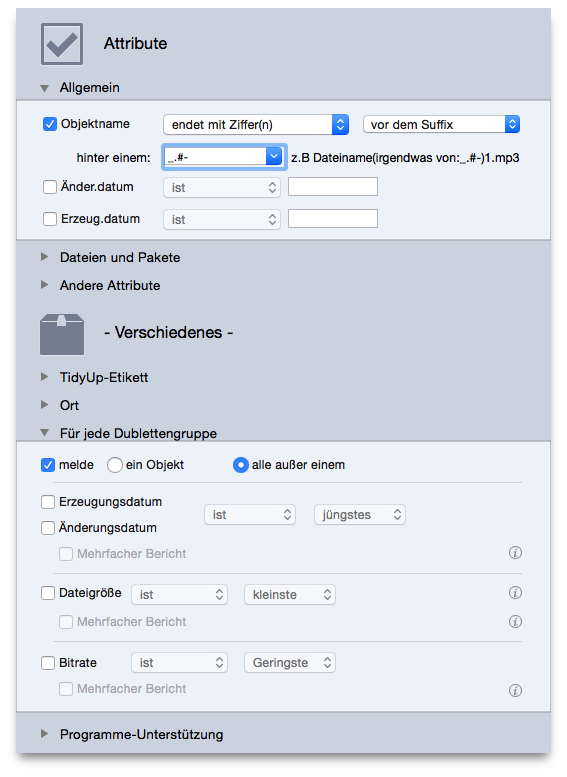
Figure 102: Remove all but one iTunes songs whose name ends with a number.


HomeA Single Location OnlyRemove all but one iTunes songs (or iPhoto, Aperture and Mail) of each duplicate group but only if the songs are in a specific playlist(s)Remove all lowest bit rate song files