


This set of criteria gather and compare the EXIF metadata. If the EXIF tag you are searching for is missing, then the image is ignored. This criteria will be disabled if any criteria related to folders or music is chosen.
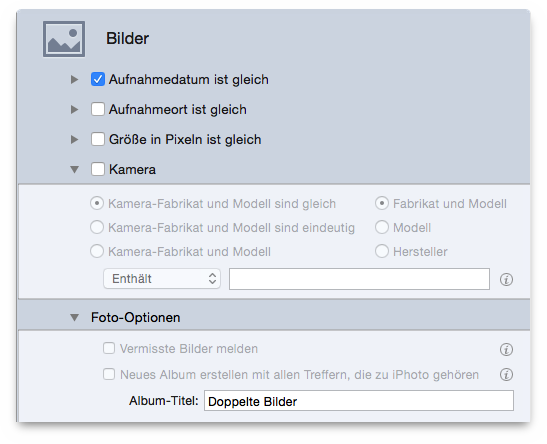
Compares the shoot time of the photo. Note that since the minimum time recognized is one second, Tidy Up will report as same any photos taken in sequence in the time of a second.
Checks the GPS coordinates. Choosing the same or unique
options, Tidy Up will compare both fields (latitude and longitude). If
you need to search between a range of coordinates, check the
location taken
field and insert the needed coordinates in the
text fields. Use the tolerance option, if you don’t need the exact
position.
Compares the dimension of the photos or of any image.
Select the camera make or model, or both. You will be able to choose the same, unique and customizable options.
To enable this set of criteria, you need to select as a search location in the Sources iPhoto Images, through Application Support.
There are two options to further customize a photo search:
Report missing images.
Tidy Up will report all the
missing images (a missing image is one in which an image file is no
longer in the same location where iPhoto had registered it).
Create a new album with the found items belonging to iPhoto. Creates an album in iPhoto containing the images found through the search you perform.
