


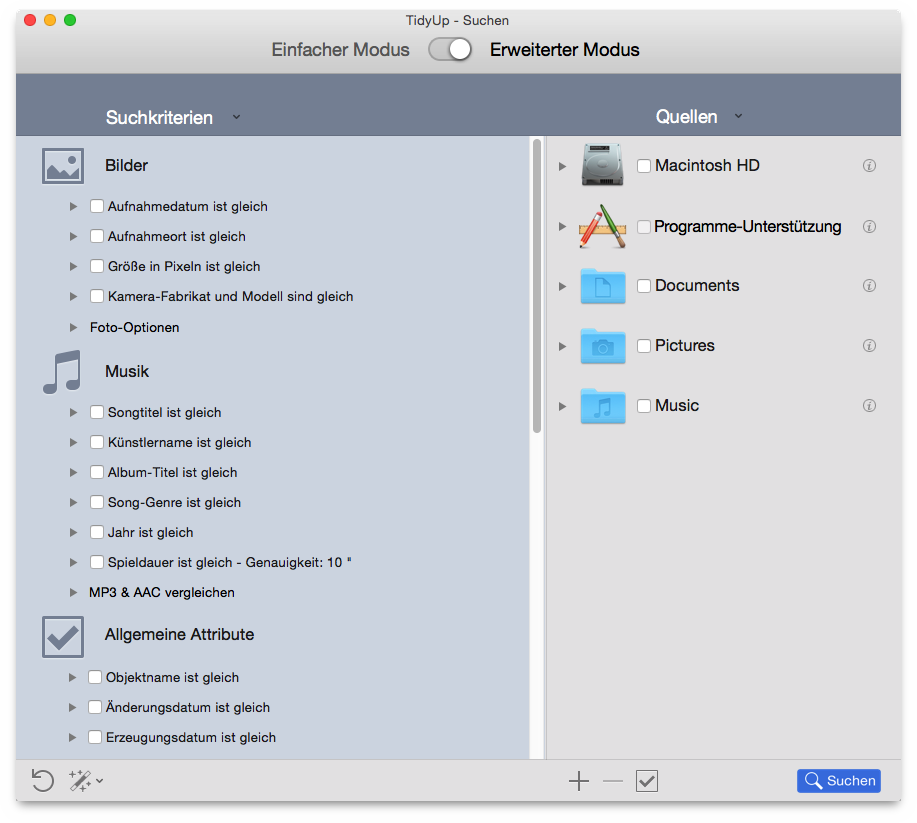
To choose the criteria, it helps to know in advance which items you will be targeting as part of your search strategy. Are you trying to clean up a disc with a particular file type in mind? Do you want to remove empty folders? Do you want to search for items created or modified within fixed dates? Do you want to clean the database of one of Apple’s applications?
In Tidy Up the search criteria are organized in six collections, divided by the searchable item's kind:
Contains photos-specific criteria (e.g. date and location taken). These options can be applied to photos in any location of the disk, iPhoto and Aperture libraries included. These criteria will become inactive if there are other criteria checked that can’t be associated, such as music and folders.
Contains music-specific criteria (e.g. Artist’s name and song duration). These options can be applied only to MP3s and AAC files, iTunes files included. These criteria will become inactive if there are other criteria checked that include photos and folders.
Contains criteria that can be applied to any item populating the hard disk, for example name and creation date. Common criteria are always active.
Also called Files and Packages, it can be applied only to file and package items. These criteria will become inactive if there are other criteria checked that include folders.
Contains criteria that can be applied to files and packages or folders, for example file lock status or visibility.
It’s a set of search criteria designed to help tracking items that may be wasting disk space, such as unused Preference files.
