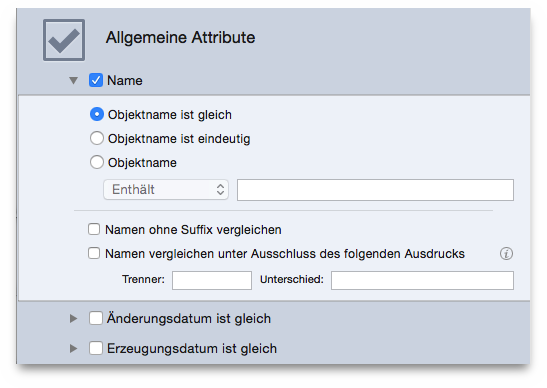
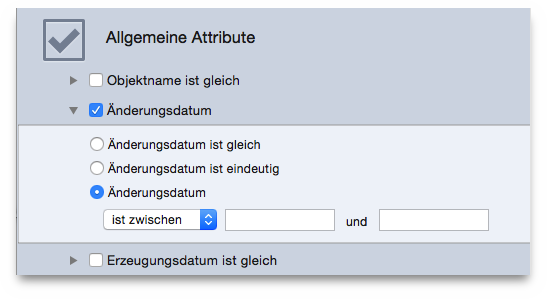
Each of these criteria can be used with the same, unique or custom options.

This is the most used criterion.
Item’s name is same: the found items’ names will be the same.
Item’s name is unique: the found items’ names will be unique in the location(s) you choose.
Item’s name: if this option is selected, you will have access to the text field and popup menu below it. This option allows you to search by name excluding or containing a specific sequence of characters.
This criterion also offers two filters which can be added regardless of the option chosen:
Compare the names excluding the extension: useful when searching for files with the same name, regardless of the file kind.
Compare the name excluding the following expression: it allows
you to exclude from the search a sequence of alphanumeric characters
after a separator before comparing the name. This is useful to find
files that differ only because of a small part of the name. For
example, assume that you want to find two songs called My
song.mp3
and My song 1.mp3
and that the number may be
increased by 1 of each same file name. To accomplish this, you would
enter a space in the separator field and 0123456789
in the
difference field.
A true
duplicate list includes the same dates, both
creation and modified. The date modified and date created options
allow you to search for items within a specific date range. It is
useful when you want to limit the search to a defined amount of time,
for example all images duplicates by name and content modified in the
past year.