


Tidy Up allows you to substitute the moved and trashed duplicate
files with an alias or a symbolic link. This window is accessible from
the Move and Copy
and from the Trash
windows by clicking
on the Settings…
button.
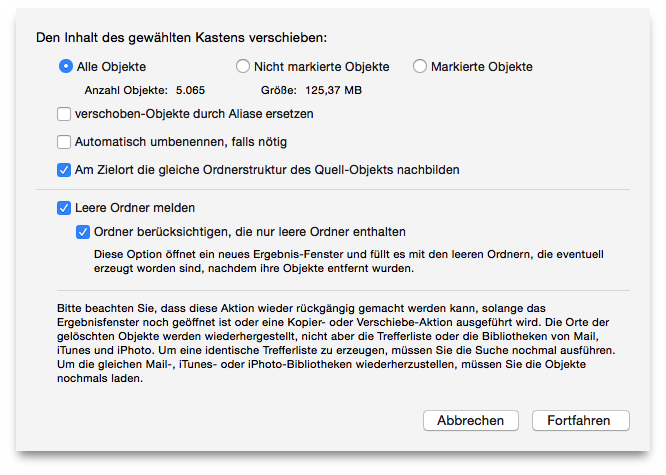
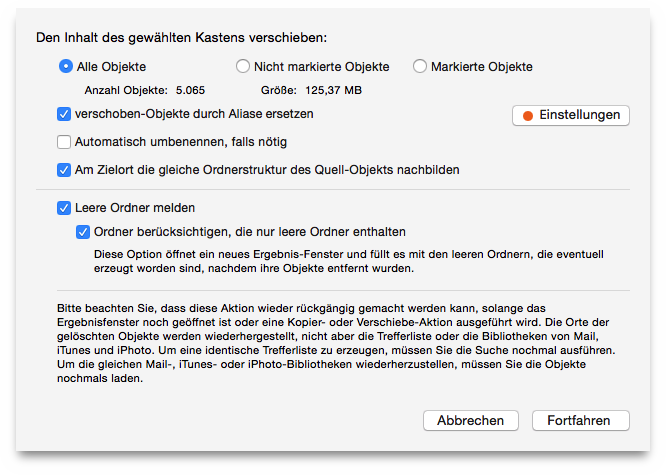
Selecting the option Substitute the moved items with
aliases
option makes the Setting
button visible as shown in
the second screenshot. Clicking Settings
brings up the Aliases
and Symbolic links options box (images below).
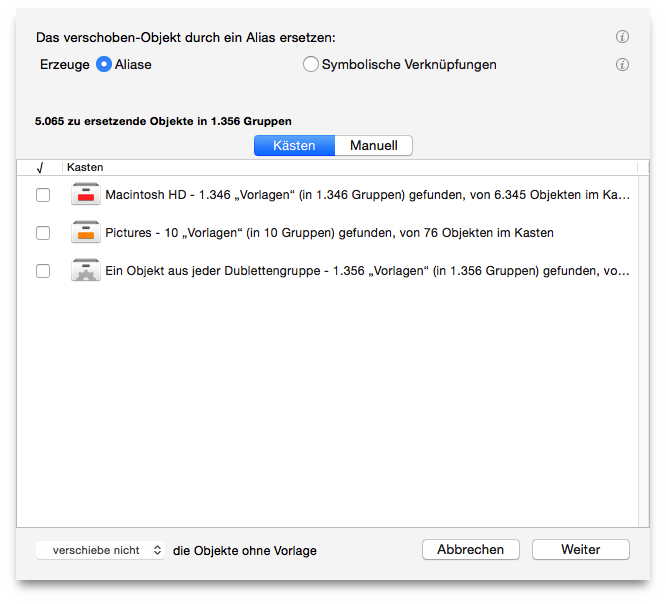
Choose one between the Aliases and Symbolic links options.
Select the items to use as masters:
If there are boxes listed, choose the box that better fit your needs.
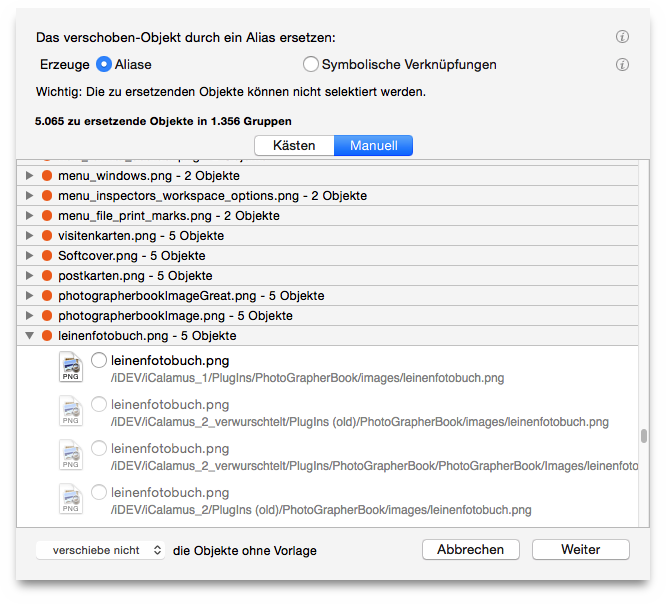
You can also choose the items to use as masters
manually
by clicking on the Manually
button. To choose the master, open
the list of the applicable masters by clicking on the disclosure
button and choose the preferred master by clicking on the radio button
beside it. The dot is orange when no master is chosen, red when there
is no master available to choose (for example when a duplicate group
is made of two items and one is already removed from the found list)
and turns green when a master is chosen.
Once you have chosen the master items, you can decide whether to or not to manage the items without the masters.
dismiss the window without implementing the changes made.
dismiss the window reporting the changes and change the orange button of the parent window to green if the settings are applicable.
